
2D game art outsourcing works when you judge the partner on what arrives in your build, not on their portfolio. This guide is for producers, art directors and indie founders picking a 2D art partner for a mobile game. It walks through the brief, the style guide, revision rounds, file delivery and the Unity import check.
What you are actually buying when you outsource 2D game art
You aren’t buying drawings. You’re buying a predictable flow of assets that look like they came from one hand, arrive in the format your engine wants, and don’t need rework when they land.
That changes what you should ask a 2D game art outsourcing company. “Can you draw in this style?” is the easy part, and most studios can. The harder questions are about consistency across 40 assets instead of four, how feedback is handled, and who checks the files inside Unity before they reach you.
Here’s how I’d split the job in your head before you talk to anyone:
- Concept and style: the look, locked once, early.
- Production: characters, props, icons, UI, backgrounds, made to that look.
- Animation: if characters move, who rigs and animates them, and in what tool.
- Delivery and integration: naming, slicing, atlases, pivots, and a test import.
A partner who only talks about the first two will leave the last two for your team.
Start with the brief, not the moodboard
Most outsourcing problems I see start in the brief. A moodboard of games you like tells an artist what you admire. It doesn’t tell them what to make.
A useful brief for 2D game art has:
- The asset list, with counts. “20 shop icons, 6 currency icons, 1 rarity frame in 4 colours” beats “icons for the shop”.
- The size it’s seen at. An icon approved at 512 px and played at 48 px is a different job from a splash screen.
- The camera and screen. Portrait or landscape, side-on or top-down, how much of the screen a character takes.
- What’s already locked. Existing characters, the palette, the logo, the font.
- What’s not in scope. This saves more arguments than anything else on the page.
- Who approves, and how fast they can reply.
If you can’t write the asset list yet, that’s fine, but then the first paid step is a short concept or style phase, not production.
The style guide is the contract for "looks right"
Once a style is approved, write it down. For a small mobile project this doesn’t need to be a 60-page art bible. A few pages that both teams can point at is enough. People search for a game art style guide template because they want something to fill in, so here’s what ours covers:
| Section | What it fixes | Example of a rule |
|---|---|---|
| Palette | Colour drift across artists | Main palette + 2 accent colours; UI greens and reds reserved for success and error |
| Line and edge | Mixed rendering styles | 3 px outline at 1080 px wide, darker than fill, no pure black |
| Light direction | Assets that don’t sit together | Light from top-left on every prop and icon |
| Shape language | Characters that feel off-model | Round shapes for friendly, angular for enemies |
| Proportions | Characters changing size between screens | Head-to-body ratio and height chart for the cast |
| Readability test | Detail lost on a phone | Silhouette fill test and greyscale test at game size |
| Do / don’t sheet | Repeat feedback | One approved and one rejected example per asset type |
The do/don’t sheet is the part people skip and the part that saves the most rounds. Every time you reject something for a reason that will come up again, add it.
For a bigger game the style guide grows into a full art bible with world, faction and UI sections. Start small and let it grow from real feedback.
Revision rounds: agree the number and what counts as one
“Unlimited revisions” sounds generous and usually means slow. A fixed number of rounds, with a clear definition, gets better art faster because both sides batch their feedback.
What I’d agree before work starts:
- What a round is. One consolidated set of notes on a set of assets, from the person who approves. Not five messages from five people over three days.
- When feedback is due. If the studio sits on a round for a week, the deadline moves by a week. Put that in writing.
- The difference between a revision and a change. “The sword reads too thin at game size” is a revision. “Can the knight be an archer now?” is a change request, and it gets scoped and priced before anyone draws.
- Where rounds happen. Rough or sketch stage is cheap to change. Final render is expensive. Most notes should land at the rough stage.
Our fixed-price packages include 2 revision rounds, and change requests are written and priced before work starts. That’s on the packages page if you want to see how the scope is set.
File delivery: what "final" should mean
Ask for a delivery spec before you sign, and check it against what your Unity team actually wants. A good spec covers:
- Format. PNG with transparency for in-game assets; layered source files (PSD or similar) where your contract includes source.
- Naming. One convention for the whole project, e.g.
icon_shop_gem_small.png. No “final_v3_REAL.png”. - Resolution. Delivered at the size you’ll use, plus a 2x master if you plan to support tablets.
- Padding and trim. Consistent transparent padding so assets don’t shift when swapped.
- Pivots and anchors. Where characters stand, where icons centre. Agree it per asset type.
- Sprite sheets or atlases. Who packs them, and with what settings.
- Folder structure. Matching your project, so assets can be dropped in without renaming.
Ownership belongs in this conversation too. Before you sign, make sure the contract says who owns the art and the source files once you’ve paid. It’s a dull clause until you need it.
Unity import readiness: test it before it reaches you
This is where outsourcing earns its fee or costs you a sprint. Art can look perfect in a preview image and still break in the engine: wrong pixels-per-unit, blurry filtering on pixel art, pivots in the corner, UI that doesn’t 9-slice.
What we check in a Unity project before handover:
- Import settings. Sprite mode, pixels per unit, filter mode (point for pixel art, bilinear for painted), compression that doesn’t band gradients.
- 9-slice borders on buttons and panels, so they stretch without warping corners.
- Pivots on characters and props, so they sit on the ground and rotate where they should.
- Scale in context. Every asset viewed on a real phone-sized game view next to the existing UI, not on a white canvas.
- Atlas packing, so a scene isn’t pulling textures from ten separate files.
If characters need to move, the same logic applies to animation: agree the tool, the runtime and the export before anyone rigs anything. Our Spine animation services guide covers that side in detail.
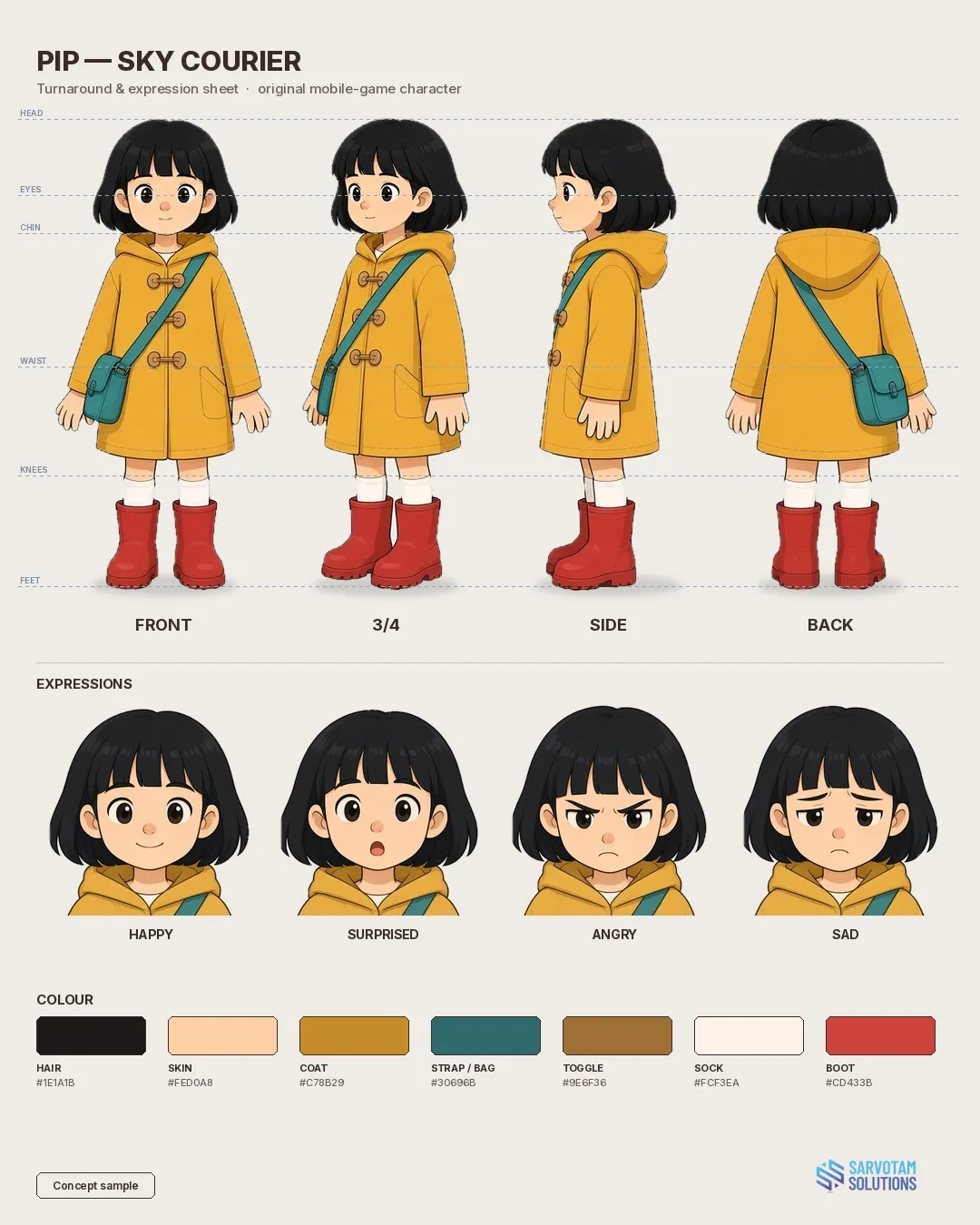
Concept sample: a turnaround sheet like the one we lock before production. Studio showcase, not client work.
The sheet above shows one concept character from the front, three-quarter, side and back, drawn to the same height lines. It’s the kind of reference that keeps proportions and details matching when several artists, or an animator, pick up the same character, which is what a style guide is there to protect.
How to pick a 2D game art outsourcing partner
| Question | Good sign | Warning sign |
|---|---|---|
| Can we start with a small paid test? | A fixed-scope test with a price and date | A free test of your whole character |
| Who approves internally before we see it? | A named art lead | “The artist sends it to you directly” |
| How many revision rounds, and what counts as one? | A number and a definition | “As many as you need” |
| What’s your delivery spec? | Naming, formats, pivots, folder structure | “We send PNGs” |
| Do you test in Unity? | Yes, with screenshots from the engine | Preview images only |
| Who owns the art and the source files? | Stated in the contract | Unclear, or extra fee discovered later |
| Can I see work in the style I need? | Relevant samples, honestly labelled | A showreel in a different style |
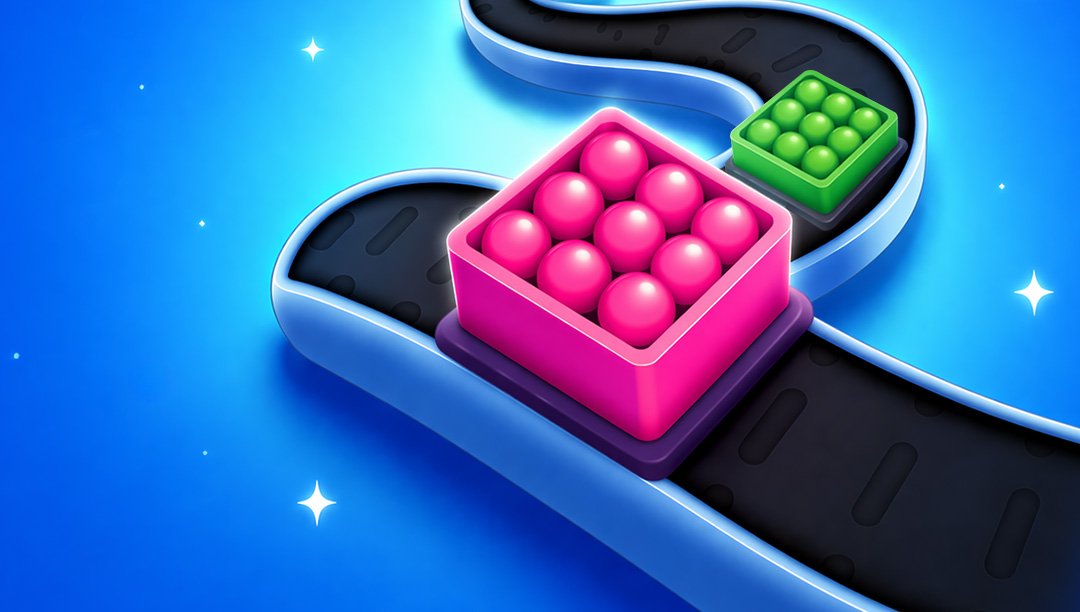
Also look at how they label their portfolio. Concept pieces, client work and internal titles should be marked as what they are. Our work page shows Parcel Line client work and our own PlayTrix games, such as Loop Jam, kept apart from clearly labelled concept samples.
FAQ
What is 2D game art outsourcing?
It’s hiring an external studio or team to produce your game’s 2D assets, such as characters, props, icons, UI and backgrounds, to a style you approve. A good partner also handles the parts around the drawing: a written style guide, scheduled review rounds, a delivery spec and a test import into your engine, so the art works in your build and not just in a preview.
How much does it cost to outsource 2D game art?
It depends on scope, style and how much is already locked, so be wary of anyone quoting before seeing an asset list. Fixed-price packages make it easier to compare. For example, our 2D Game Asset Pack is $450 for 20 props or icons, or one UI kit, in one style, delivered in 7 days with 2 revision rounds. Larger or open-ended work should be scoped on a call.
What should a 2D game art brief include?
An asset list with counts, the size each asset is seen at in-game, the camera and screen orientation, what’s already locked (characters, palette, logo, font), what’s out of scope, and who approves feedback. If you can’t write the asset list yet, start with a short paid style phase before production.
Do I need a style guide or art bible?
For anything more than a handful of assets, yes. A short style guide covering palette, line weight, light direction, shape language, proportions and a do/don’t sheet keeps work consistent across artists and cuts repeat feedback. A full art bible makes sense for larger games with several worlds or factions, and it can grow out of the shorter guide.
How many revision rounds are normal?
Two rounds is a common fixed-price standard, provided each round is one consolidated set of notes from the person who approves. Most changes should land at the rough stage, when they’re cheap. Anything that changes the brief itself, rather than fixing how an asset reads, should be scoped and priced as a change request.
Will outsourced 2D art work in Unity without rework?
Only if someone checks it in Unity before handover. Ask the partner to confirm import settings, pixels per unit, filter mode, pivots, 9-slice borders on UI and atlas packing, and to send screenshots from the engine rather than from a drawing app.
More from the blog
Get 2D art that drops into your Unity build
Our 2D Game Asset Pack covers 20 props or icons, or one UI kit, in one style: $450, 7-day delivery, 2 revision rounds. Send us your brief →